
A glossary of comic flatting
Fifteen words of the flatting trade, each defined in two sentences, with the French, Korean, Japanese and Chinese word for each.
An inked page is black on white. Before anyone paints a shadow, somebody has to fill each shape with one solid colour: the skin, the coat, the sky, the forty scraps of a pair of trousers cut up by its folds. That job is flatting. It is slow, it asks for no artistic choice, and all the colour work after it depends on it, because one click in a clean flat selects a whole shape.
Each market has its own words for the job. An American colourist says flats, a French one says aplats, a Korean webtoon author says 밑색, a Japanese artist says 下塗り and a Chinese one says 底色. Under each definition you find the word in the four other languages.
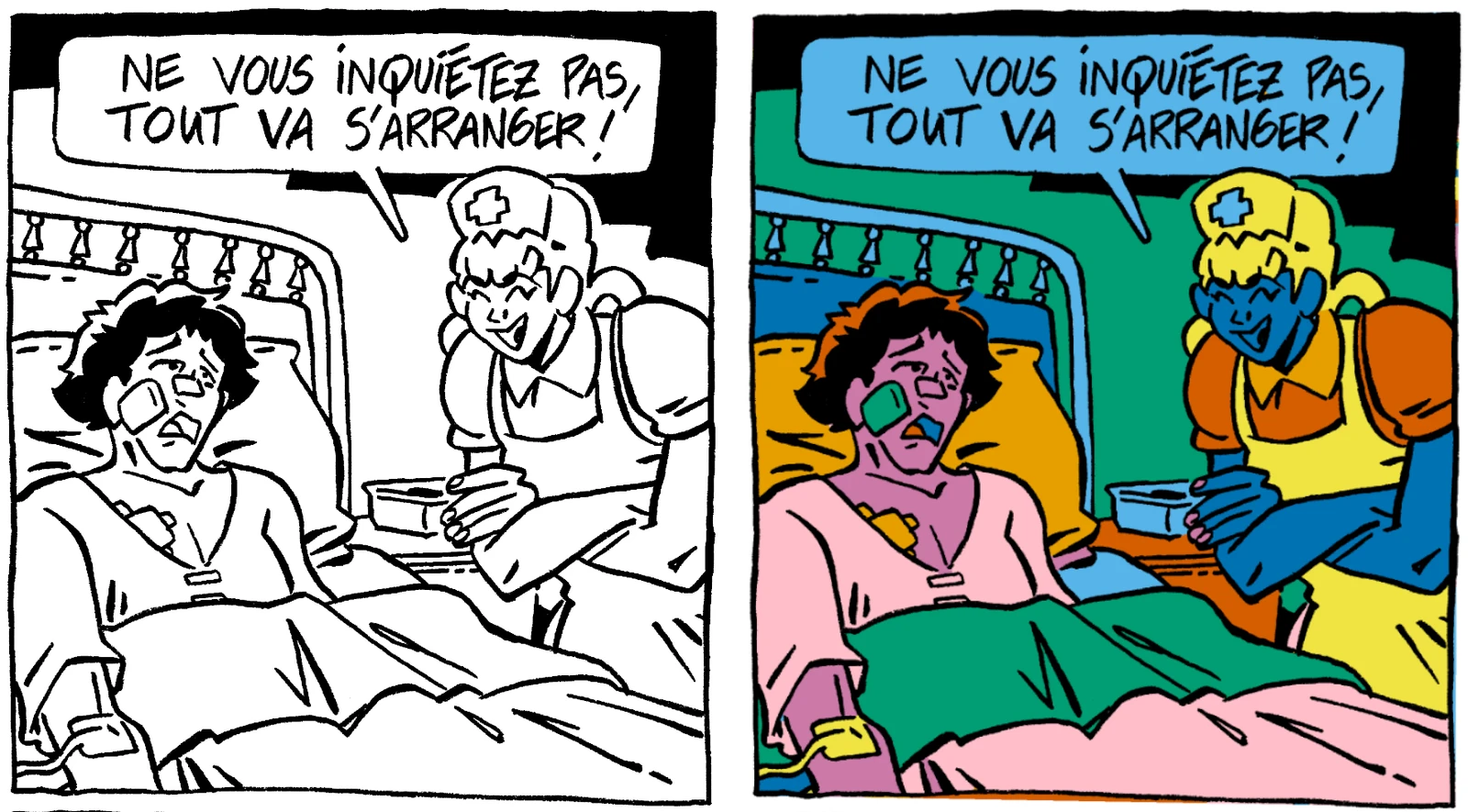
Line art
The inked drawing with no colour: the black outlines of the page. In the file, the line art has its own layer, above the colour.
FR trait · KO 선화 · JA 線画 · ZH 线稿
Panel
One picture on the page, with or without a border. In a webtoon the panels follow each other down a vertical strip.
FR case · KO 컷 · JA コマ · ZH 分格
Speech balloon
The outlined shape that holds what a character says. Balloons stay white, so they go on a separate layer above the flats.
FR bulle · KO 말풍선 · JA フキダシ · ZH 对话框
Zone
A shape closed by the line art: a face, a sleeve, a piece of sky. Each zone gets one flat colour.
FR zone · KO 영역 · JA 領域 · ZH 区域
Flats
Areas of solid colour, with no shading and no gradient, that sit under the line art. The flats are the first coat of colour on a page.
FR aplats · KO 밑색 · JA 下塗り · ZH 底色
Flatting
The job of putting down the flats. The aim is the right shape, not the right colour: each zone filled up to the line, with no gap and no stray pixel.
FR pose des aplats · KO 밑색 작업 · JA 下塗り作業 · ZH 铺色
Flatter
The person who does the flats for a colourist, most often as a freelancer paid by the page. The job is most common in American comics, where the colourist hires the flatter.
FR flatter · KO 밑색 어시 · JA 下塗りアシスタント · ZH 铺色助手
Colourist
The person who picks the palette, then paints the shadows, the light and the effects on top of the flats. Americans write colorist, and two of them will make two different books from the same line art.
FR coloriste · KO 채색 작가 · JA 着彩担当 · ZH 上色师
Open line
An outline that does not close: the pen lifted too soon and left a gap a few pixels wide. The eye sees a closed shape, the software sees an open one.
FR trait ouvert · KO 끊긴 선 · JA 線の隙間 · ZH 未闭合线条
Leak
Colour from the fill tool that gets out of a zone through an open line and floods the next zone, sometimes the whole panel. It is the most common accident in flatting, and the reason many authors still do their flats by hand.
FR fuite · KO 색이 새는 현상 · JA 色漏れ · ZH 漏色
Reference layer
The layer that the fill tool and the magic wand read to find the outlines, while the colour goes on a different layer. You set the line art as the reference layer, and it stays untouched.
FR calque de référence · KO 참조 레이어 · JA 参照レイヤー · ZH 参考图层
Magic wand
The tool that selects, with one click, all the touching pixels of the same colour. On clean flats one click takes a whole zone, and that click is why flats exist.
FR baguette magique · KO 자동 선택 도구 · JA 自動選択ツール · ZH 魔棒
Lasso
The tool that selects what you draw a loop around by hand. It is the slow, safe way to flat: trace the edge of the zone, then fill.
FR lasso · KO 올가미 · JA 投げなわ · ZH 套索
Plane
How deep an element sits in the panel: foreground, middle ground or background. Many colourists keep their flats on one layer per plane, with the characters apart.
FR plan · KO 원근 · JA 奥行き · ZH 景深
PSD
The Photoshop file format, which keeps the layers. Flatter, colourist and publisher pass PSD files to each other, and Clip Studio Paint, Krita and Procreate open them too.
FR PSD · KO PSD · JA PSD · ZH PSD
Luikki cuts an inked page into panels, balloons, zones and planes, then exports a PSD that you colour in your own software.